Before & after photos

Before and after photos that prove the work and market the business

Snap a photo before you start and after you finish. HomerAI pairs them into a before/after on the job, lets you mark up exactly what you found, and turns your best shots into your next social post.

Included on every plan.

Before / after

The full transformation, in one picture

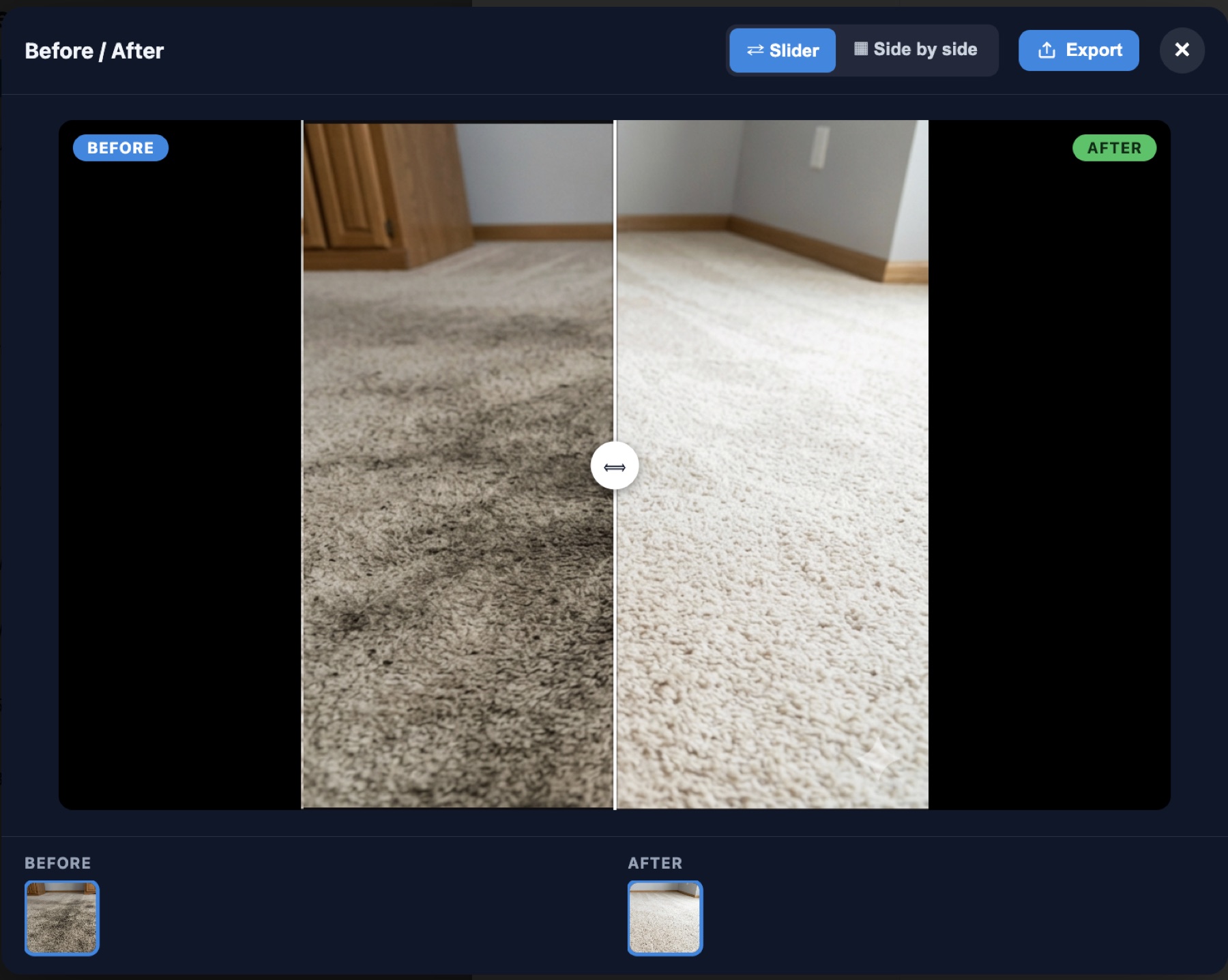
Tag one photo Before and one After, and HomerAI pairs them into a comparison right inside the job.

  • Slider or side by side. Drag the handle to reveal the result, or show both photos next to each other.
  • Export it. Save the comparison as one labelled image to text, email or post.
  • Kept with the job. The photos stay on the appointment, so anyone can find them later.
HomerAI before and after viewer showing a dirty carpet on the left and the same carpet cleaned on the right, with a drag handle between them and Slider, Side by side and Export controls.
Photo annotations

Mark up any photo in seconds

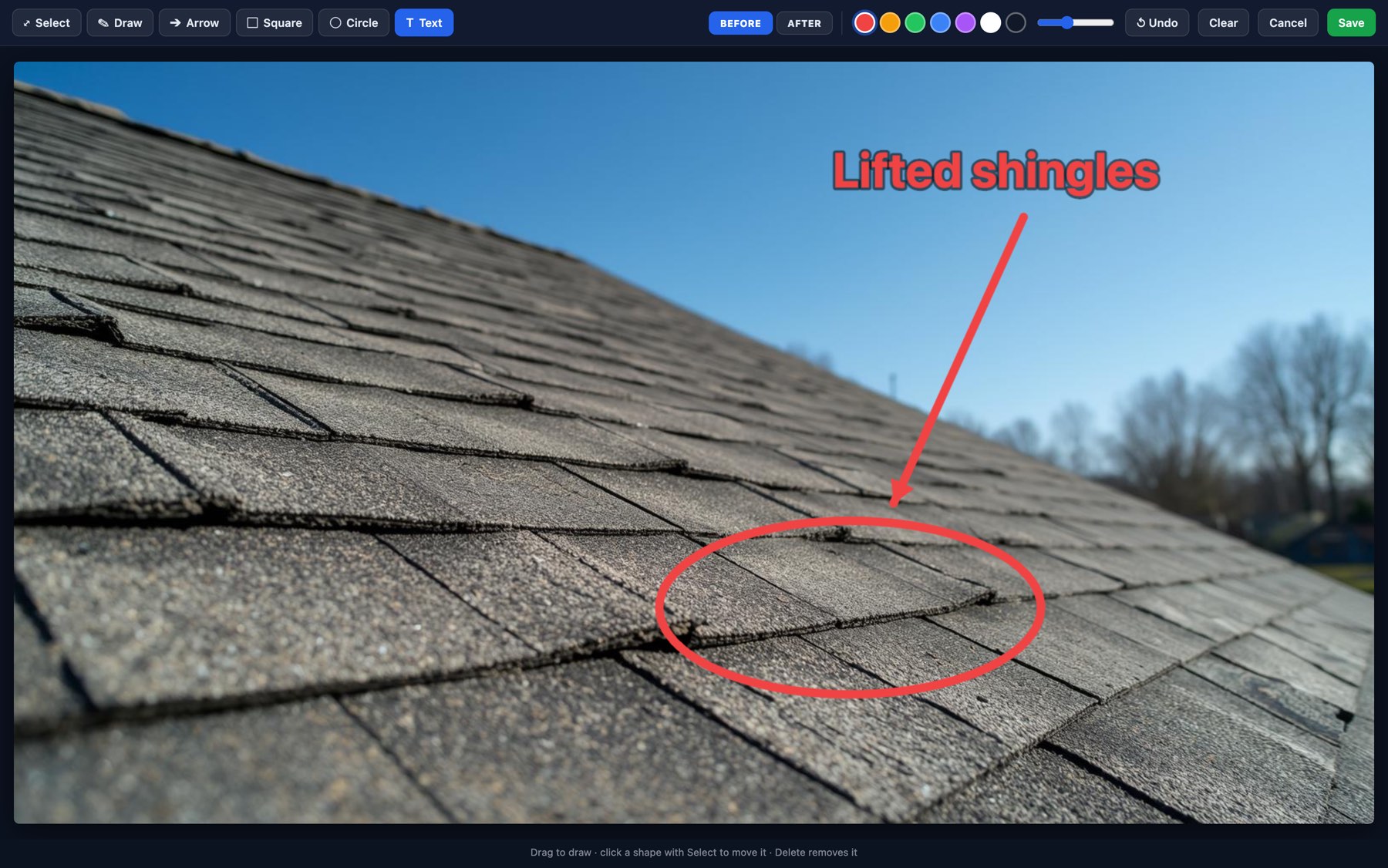
Circle the problem, drop an arrow, add a label. Show the customer exactly what you found, right on the photo.

  • Draw, arrow, square, circle and text. In any of seven colours, at the line weight you choose.
  • Move or undo anything. Select a mark to move it, or undo and clear as you go.
  • Tag it before or after while you’re marking it up, so it lands in the right side of the comparison.
HomerAI photo annotation editor with Select, Draw, Arrow, Square, Circle and Text tools and Before / After tags, showing a roof photo with lifted shingles circled in red, an arrow, and the label 'Lifted shingles'.
Why crews use it

A photo settles what a conversation can’t

Justify the price

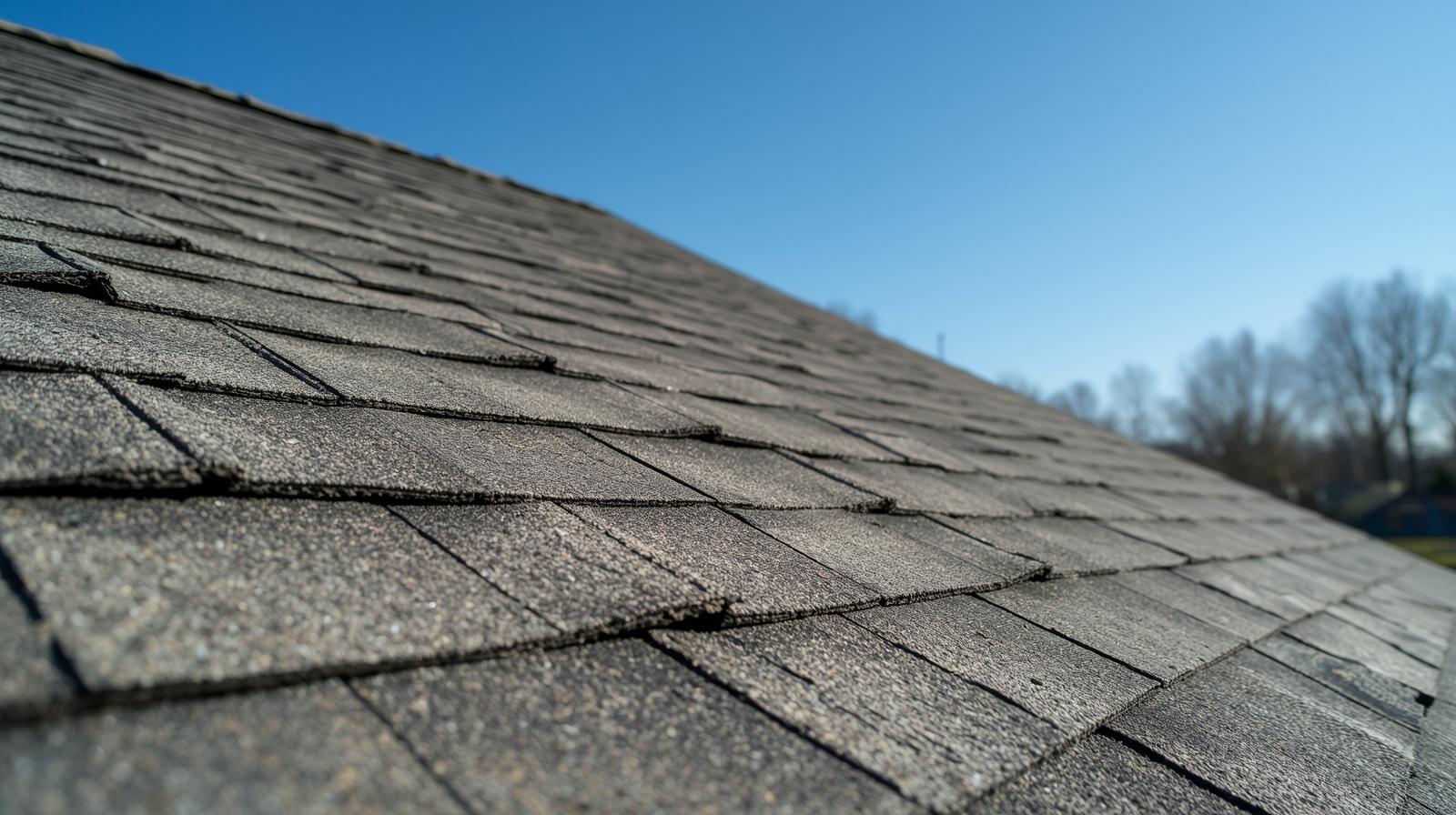
A homeowner who sees what was behind the panel stops asking why the quote looks like that. The photo does the explaining.
Win the review

A dramatic before/after is the thing customers actually share, and the proof that turns a happy customer into a five-star review.

Settle the dispute

Photos of the condition you arrived to, attached to the job record, end the “it wasn’t like that before” conversation.

From the job to your feed

Every job becomes your next post

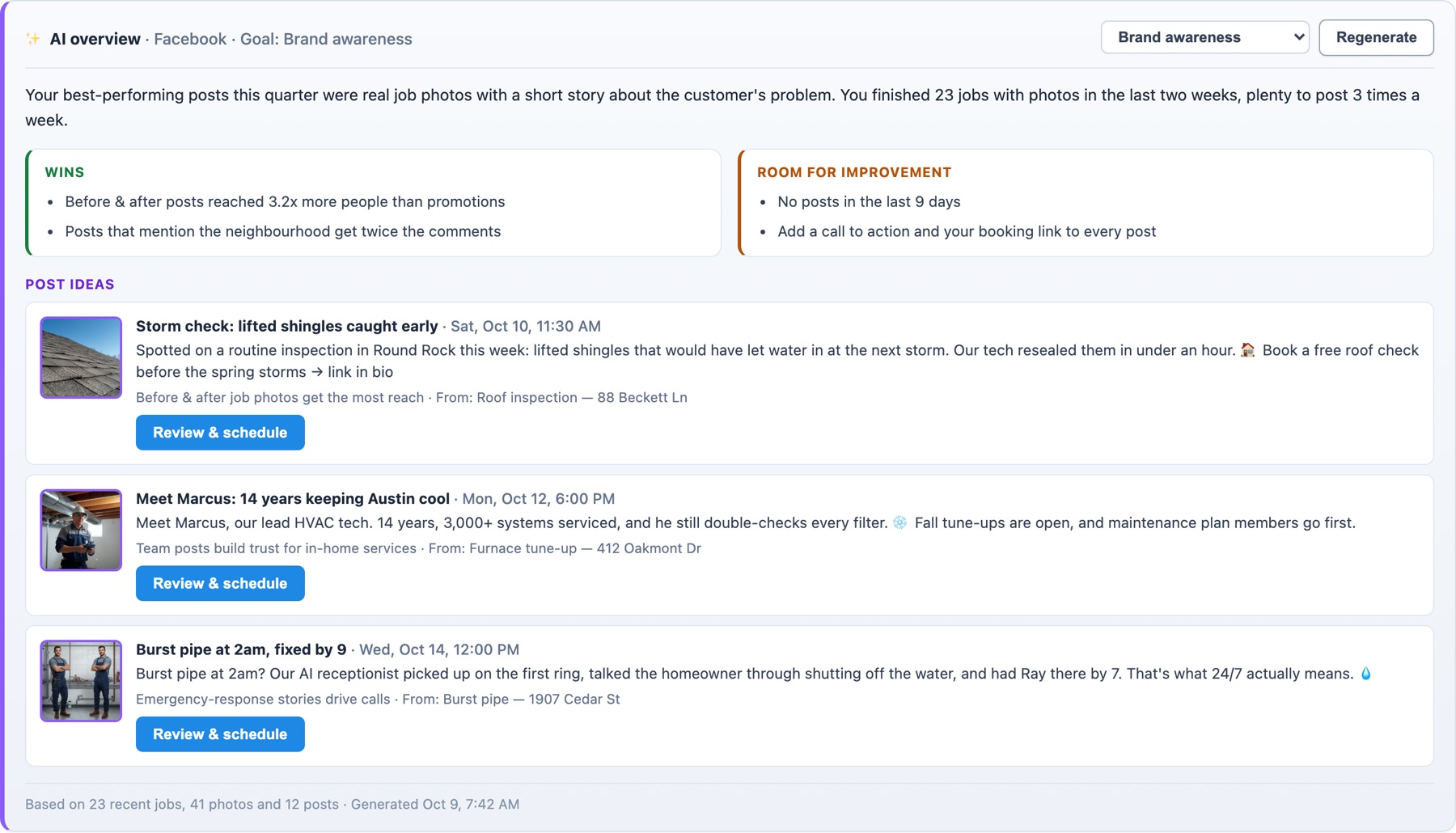
Homer looks at the photos your crews took on recent appointments and writes ready-to-post ideas: the copy, the best photo, and a suggested time. Review it, tweak it, and schedule it in one click.
  • Real proof, not stock photos. Before-and-after shots from the job record are the posts customers actually share.
  • Written for your goal. Brand awareness, local search, lead generation, engagement, promotions, or reviews and trust.
  • Scheduled from the CRM. Publish or schedule to Facebook, with a calendar of everything going out.

All marketing tools

HomerAI social media AI overview for Facebook with the goal 'Brand awareness': a summary, wins, room for improvement, and three post ideas built from recent job photos, each with a suggested date and a Review & schedule button.

Post ideas drawn from 23 recent jobs and 41 photos.

Questions

Before & after photos FAQ

On the appointment they were taken for, alongside the rest of the job record. Anyone on your team can open the job and see them.

Yes. Export the comparison as a single labelled image and send it however you like, by text, email or in the invoice.

No. HomerAI keeps the original and saves the marked-up version as its own copy on the job, so you can go back and change the markup later.

Before & after photos and annotations are included on every plan. Social post ideas are part of the marketing tools on Growth plans and above; see pricing.

Show the work. Win the next job.

See a before/after, a marked-up photo and the post it becomes, in a 20-minute demo.